For suppliers and partnersComing soon

Business check

See the registration and profile details available for a business before you sign a contract, pay a supplier or open an account.
  • Price shown before you pay
  • Consent and purpose required
  • Tracked with a reference
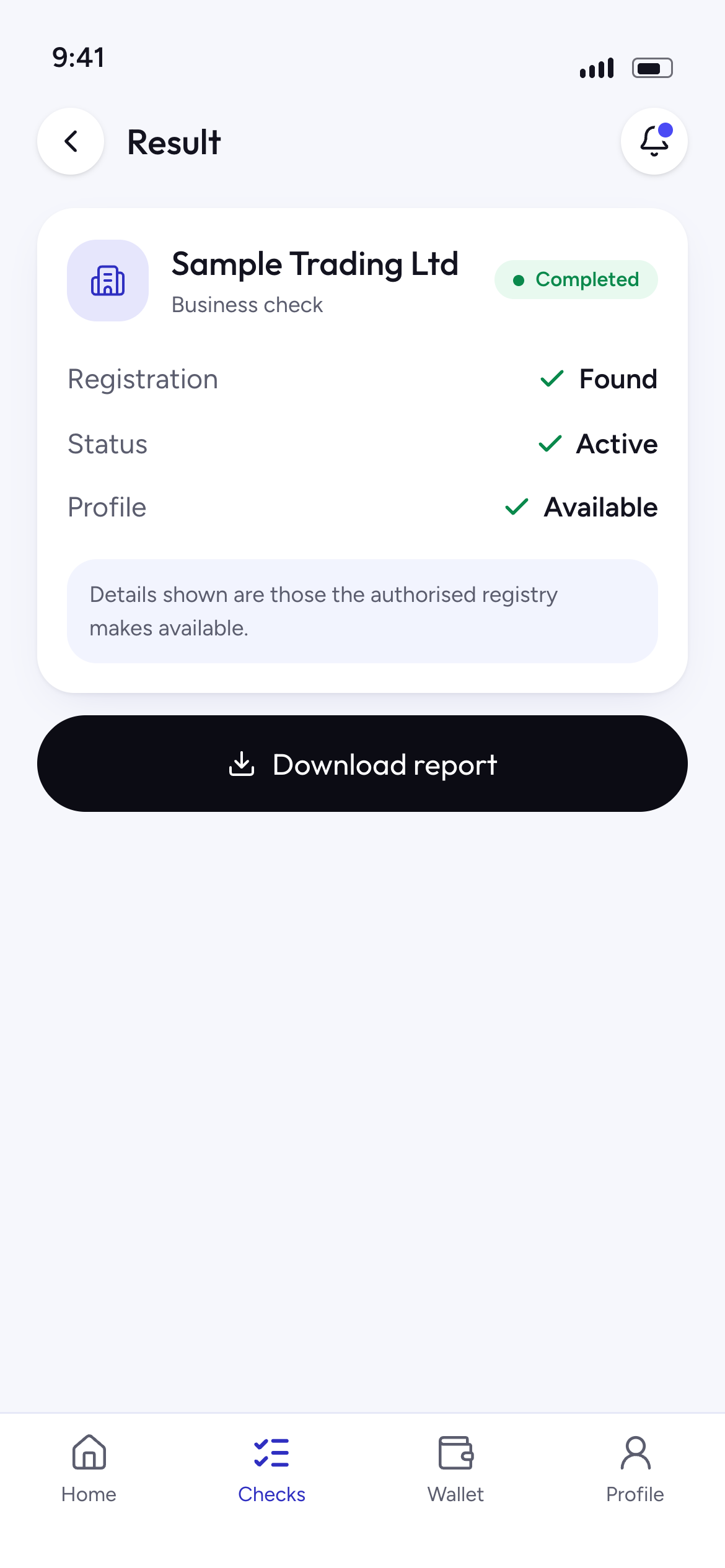
Business check result for a sample company

What you need

  • RC or BN number
  • Registered business name

Final inputs are confirmed with each data provider.

What you get

  • Registration status
  • Registration date
  • Registered address
  • Directors, as permitted

Only the fields the provider permits us to show.

Who it is for

  • Procurement and finance teams
  • Lenders assessing business customers
  • Businesses vetting suppliers and partners
  • Individuals checking a company before paying

Results only include information that the authorised data source makes available for that business. Acceptable use policy

A report you can keep

Completed checks come with a report showing the reference, time, outcome and the details checked. Print it or save it as a PDF.

achieversVerification report

Business check

Reference
ACH-XX-20260924-••••••
Checked
24 Sep 2026, 10:42
Requested by
••••••••
Purpose
••••••••

Result

  • Registration status
  • Registration date
  • Registered address
  • Directors, as permitted

Source: authorised data provider. This report reflects the records held at the time of the check and is for the stated purpose only.

Check this report is genuine at achievers /verify
Sample report. Fields depend on the service and provider.

How this check works

Four short screens, then a tracked result.
For illustration only
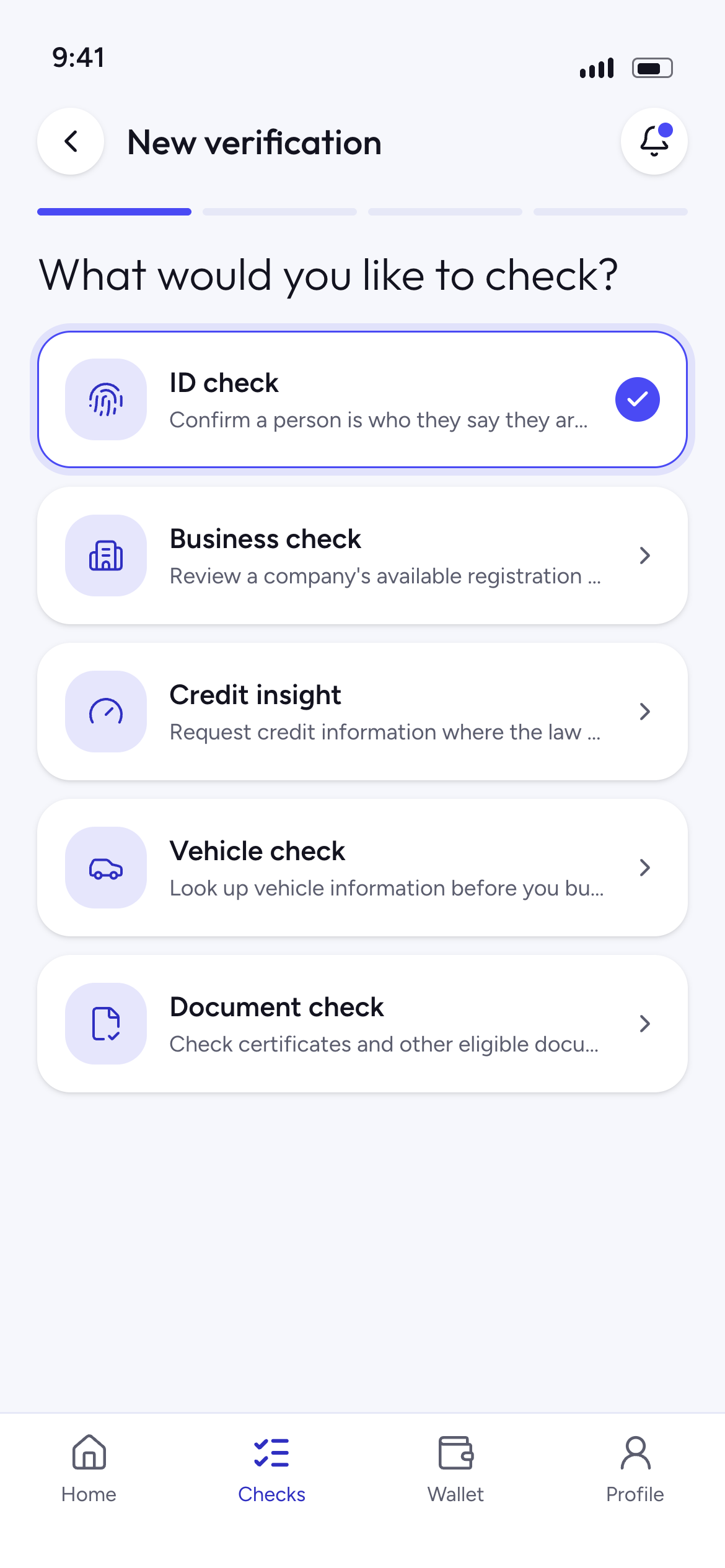
Choosing a service in the Achievers app
For illustration only
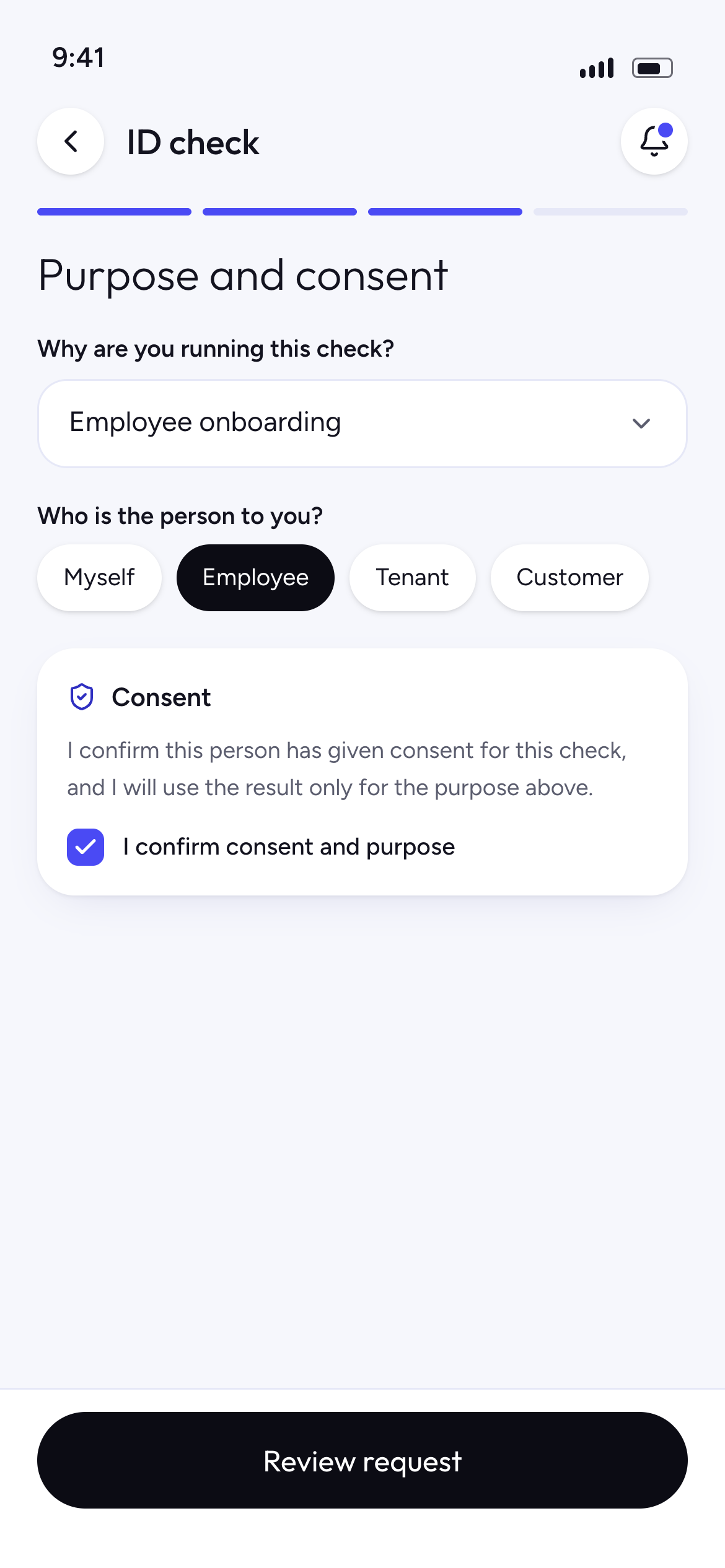
Choosing a purpose and confirming consent before a check
For illustration only
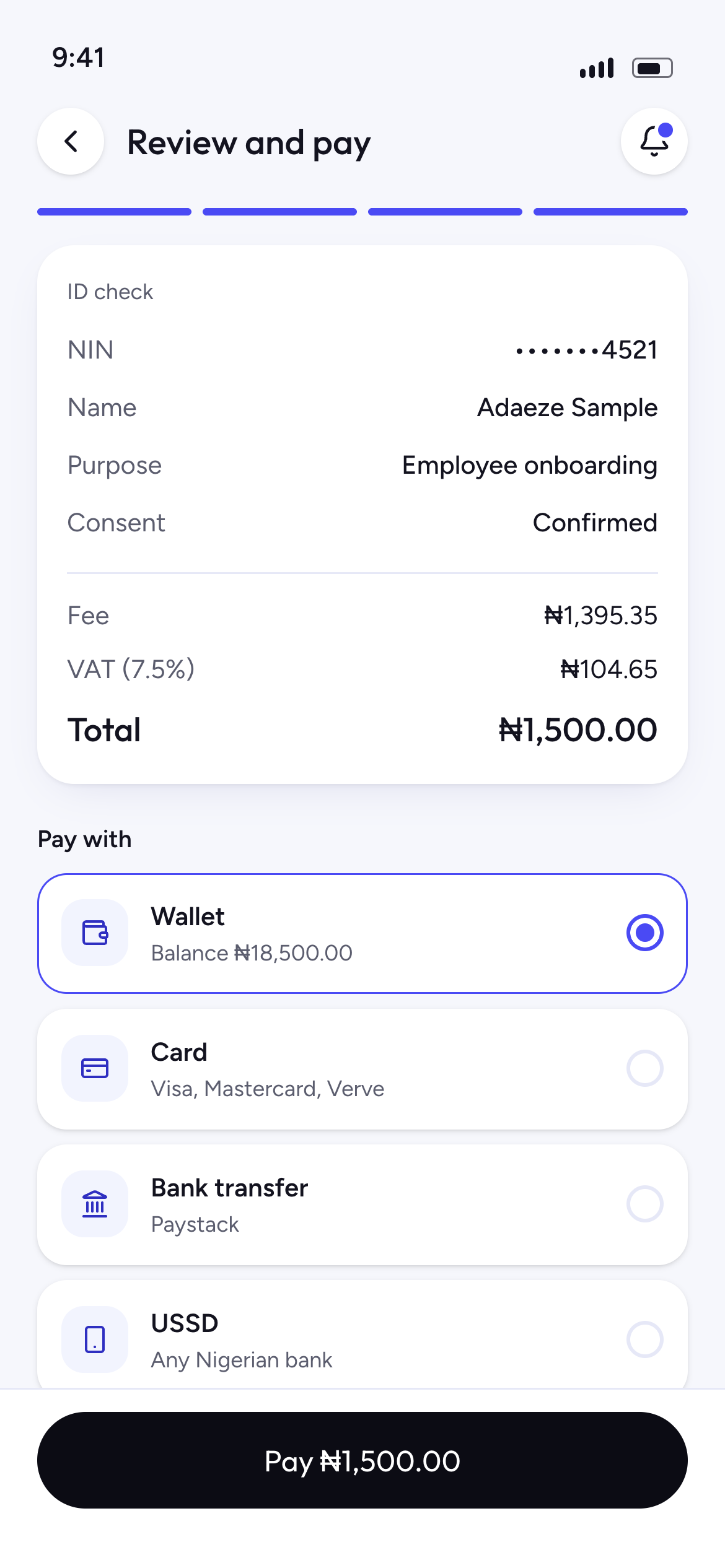
Review screen showing masked inputs, fee, VAT and payment options
For illustration only
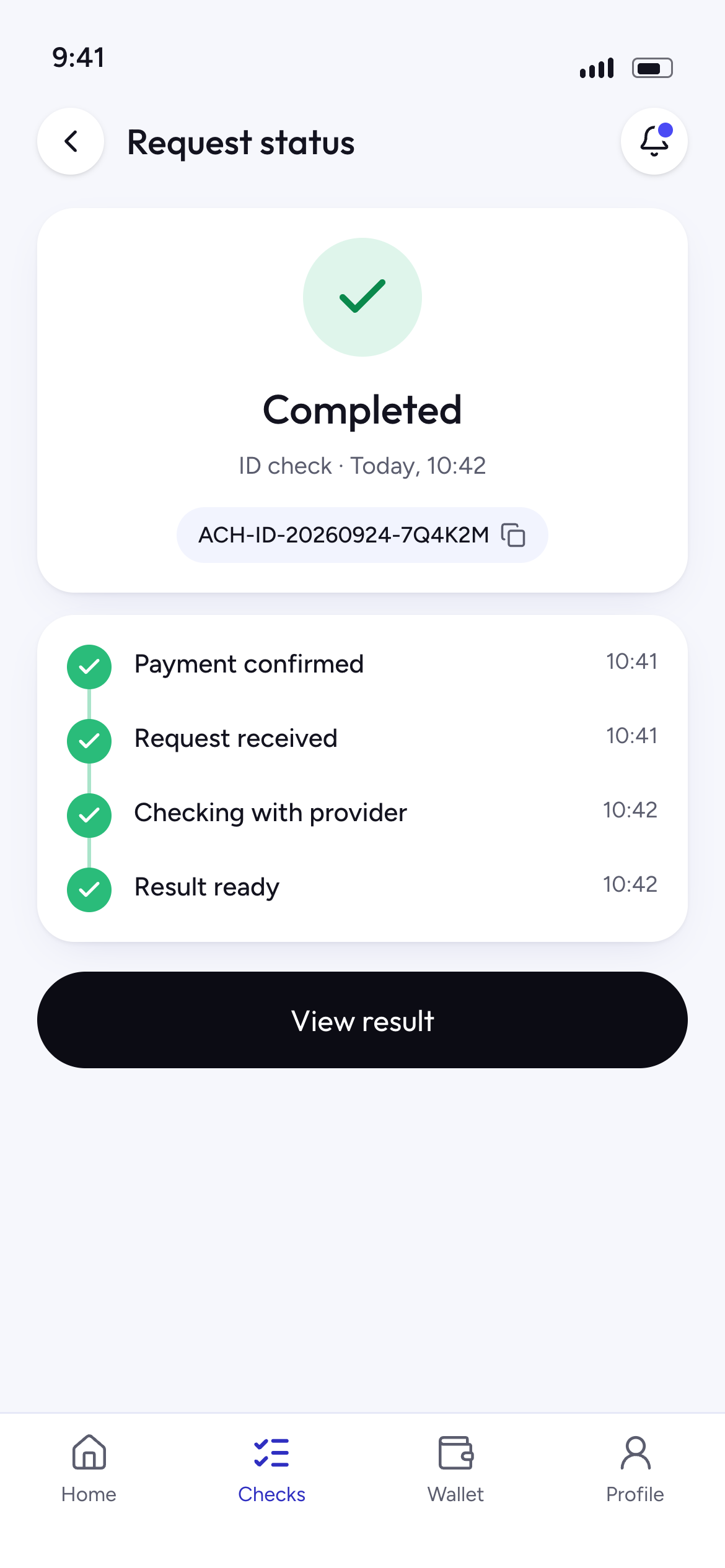
Request status showing a completed ID check and its timeline
For illustration only
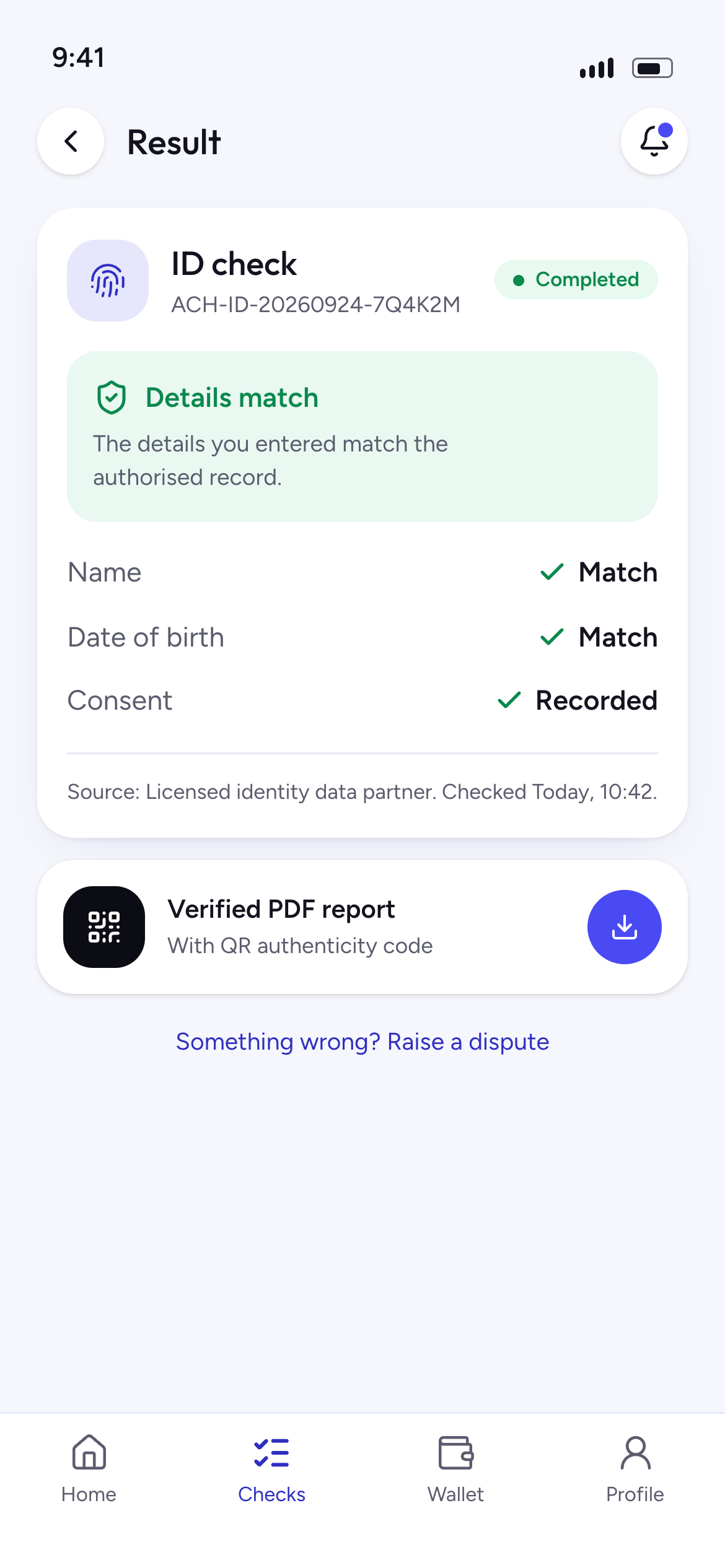
ID check result showing a match, with a report

Questions about this check

Where does the business information come from?

From authorised data providers we have an agreement with. We show which source a result came from in the report.

What if the details look wrong?

You can raise it in Disputes and corrections. We will look into it and tell you what happens next.

When do I see the fee?

Fees depend on the check and are shown, with VAT, on the review screen before you submit.

What if the result looks wrong?

Raise it in Disputes and corrections with your reference number. We will look into it and tell you what happens next.

Other checks

Get early access to business checks

Join early access and we will tell you when this check opens.