Run a check in five steps
Give only the information a check needs, see the fee before you pay and follow every request with its own reference.
Five steps to every result
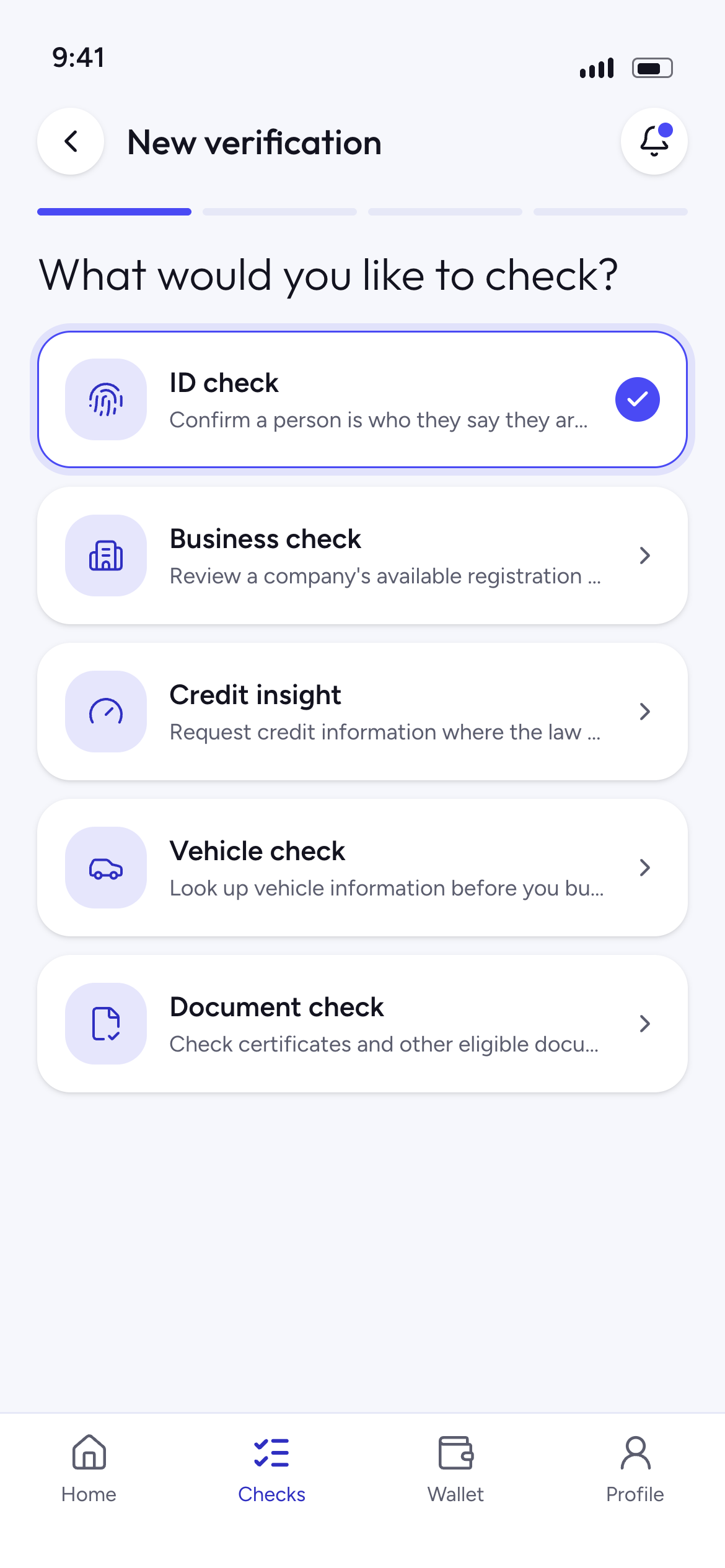
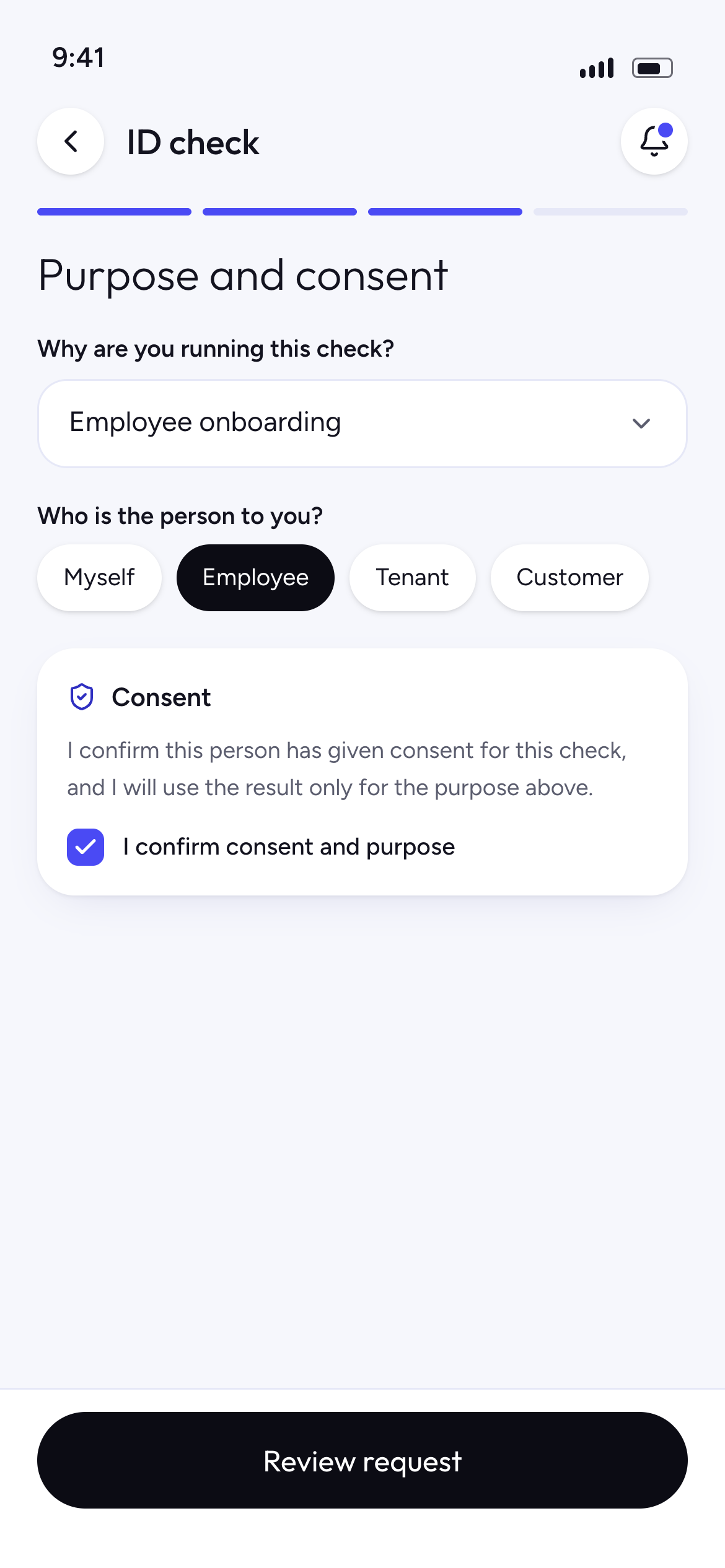
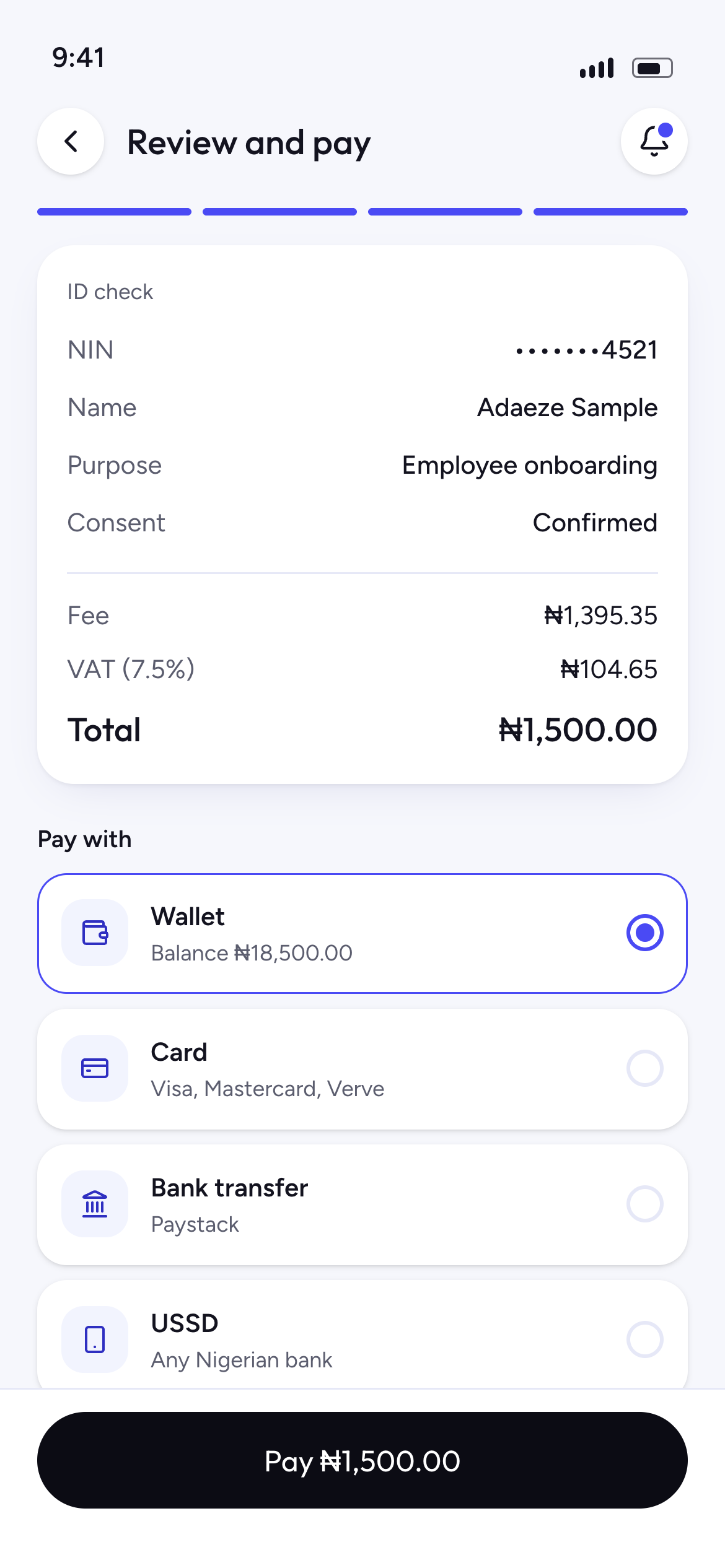
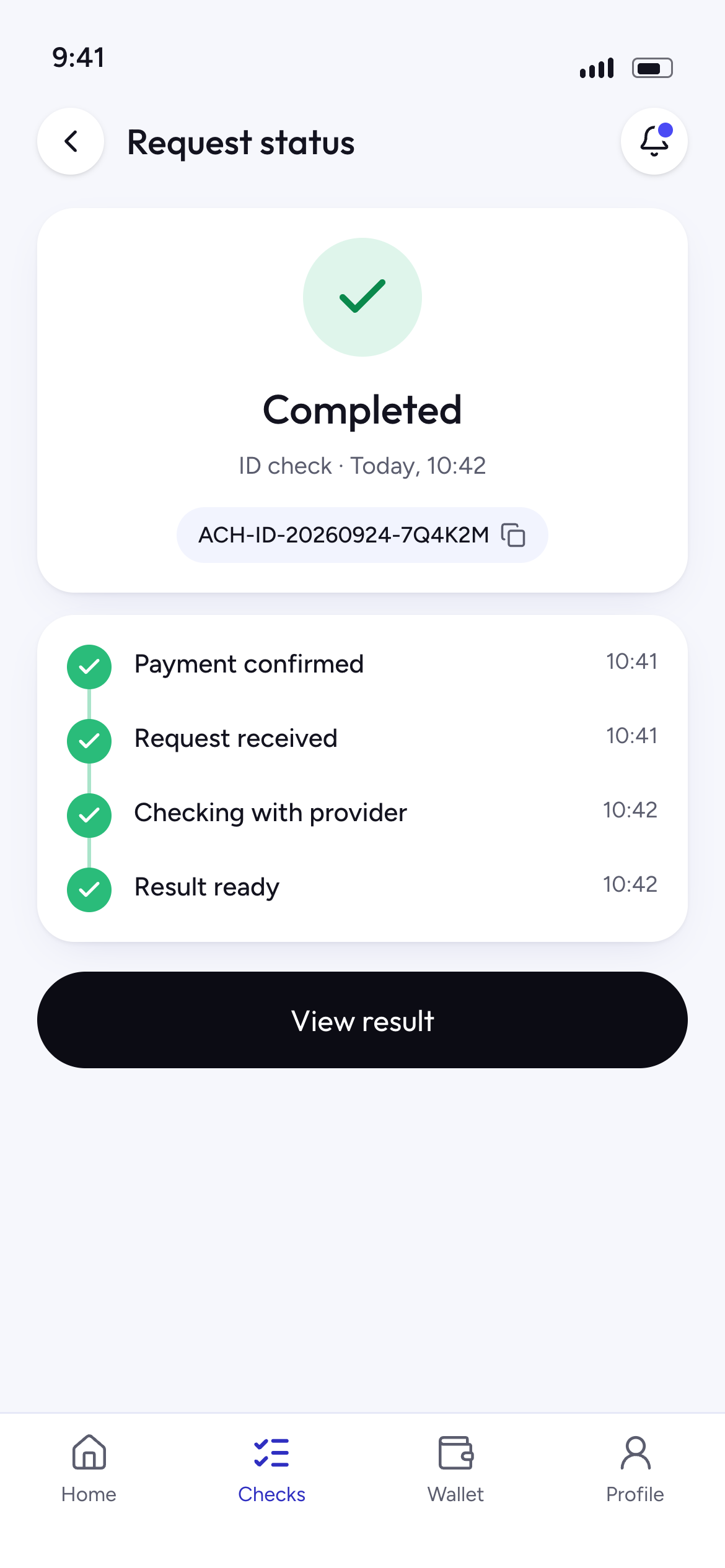
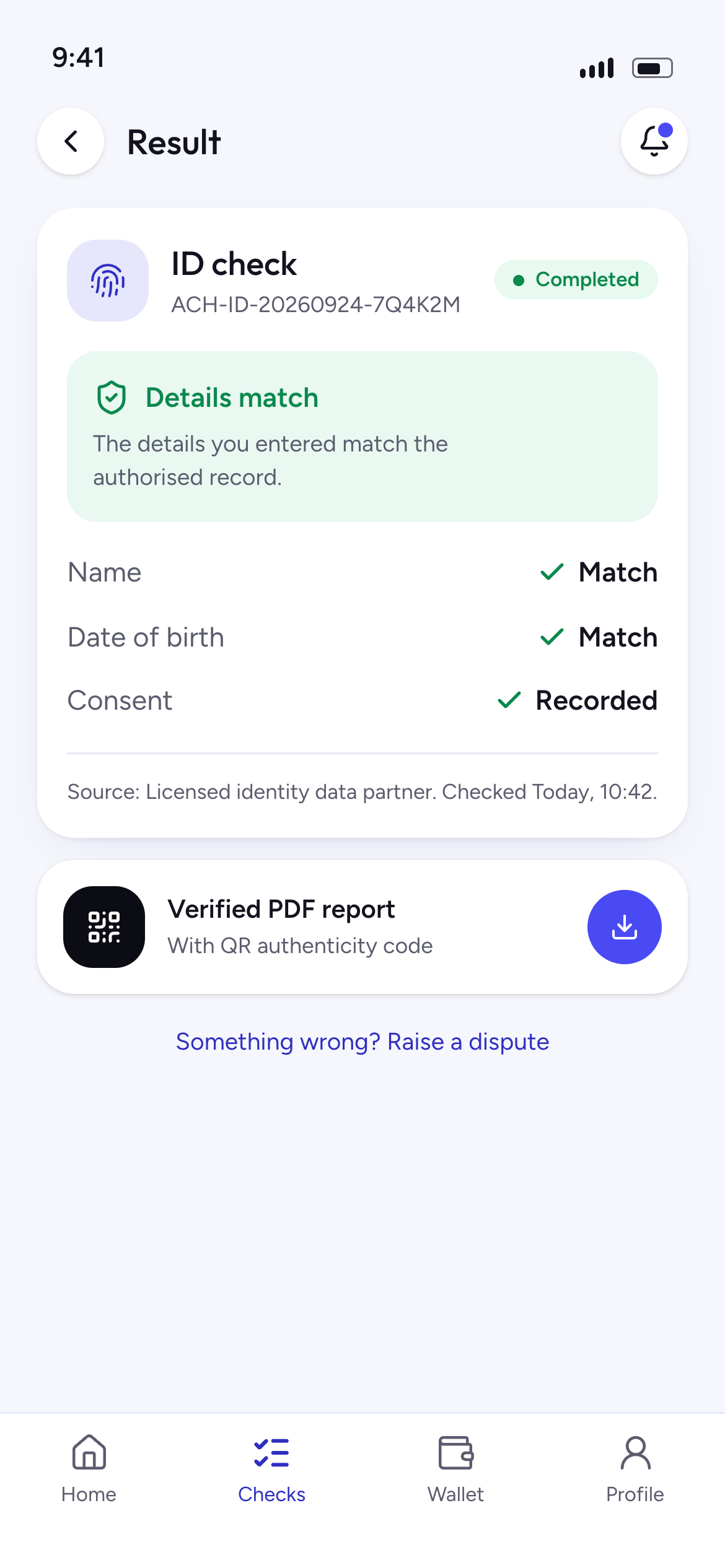
Always know where things stand
Every request shows one of four clear labels.
- Pending
We have your request and it is waiting to start.
- Processing
The check is running with the data provider.
- Completed
Your result is ready to view or download.
- Action required
We need something from you before we can continue.
Your account, from sign-up to receipts
What to expect from the moment you create your account.
- 1Create your account with your email address and a password.
- 2Enter the six-digit code we email you to verify it.
- 3Add your phone number and keep your details up to date in Profile.
- 4Organisations verify their business once before running checks.
- 5Find every check, result and report under Checks.
- 6Download a receipt for every payment under Payments.
Questions about checks
How do I follow a request?
Every request gets a reference number. Its status shows as Pending, Processing, Completed or Action required in your account.
What does Action required mean?
We need something from you before we can continue, such as a clearer document or a missing detail. The request tells you what to do.
Can I download my results?
Yes, where the service allows it. Reports and receipts stay in your account so you can open them again later.
Ready when you are
Choose a check and see exactly what it needs before you begin.